Main Page
TuneSync
»
Views
»
General View Settings
Column Order
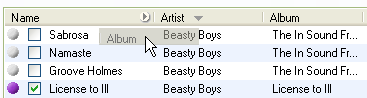
Click and hold a column to drag it to a different position in the list, as shown in the screen shot below. There is no way to change column position with the keyboard.
See also:
Column Width
Visible Columns
Sort Order