Main Page
TuneSync
»
Views
»
General View Settings
Column Width
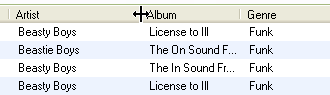
Click and hold on the separator between two columns and drag right or left to make the column narrower or wider, respectively. There is no way to change column width with the keyboard.
See also:
Visible Columns
Sort Order
Column Order