This article is part (1) of a multi-part Book Library tutorial.
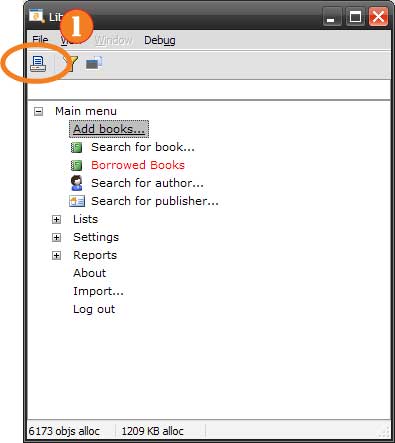
When you start the Book Library, you’re taken to the main menu, shown below:
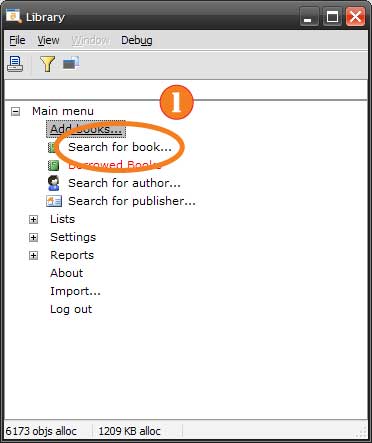 Choose Search from the Main Menu (click to enlarge)
Select “Search for Book” (1) from the list to bring up the book search window, shown below:
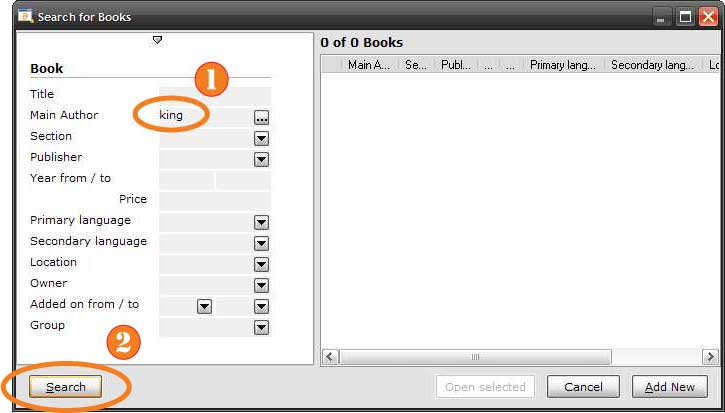 The Search Window (click to enlarge)
On the left side of the window are fields by which you can search; fill in the values you’re looking for, then press “Search” or hit enter to continue. For this tutorial, type “king” in the “Main Author” field (1), then press the “Search” button (2) (or... [More]